
Download CDDataExtract – CD data extraction, data recovery, file recovery, CD recovery tool, CD reader utility
Overview
CDDataExtract is a specialized mobile utility designed for retrieving data from compact discs (CDs) using compatible devices. The app serves as a digital bridge between physical media and modern smartphones, enabling users to access stored files such as audio tracks, documents, and images directly from CDs. Its primary function centers on CD data extraction, making it a niche but valuable tool for individuals managing legacy digital archives or preserving old media collections.
Target users include hobbyists, archivists, educators, and professionals who rely on physical CDs for data storage or backup. The app addresses the growing challenge of accessing outdated media formats in an increasingly digital world. With the decline of CD drives in modern computers, CDDataExtract offers a streamlined alternative for users who still possess CDs but lack compatible hardware. It supports the recovery of files from damaged or partially corrupted discs, providing a practical solution for data preservation.
Although the developer did not provide additional background information, the app’s focus on CD-specific functionality suggests a targeted development effort. Real-world applications include digitizing old music collections, recovering lost project files, and restoring educational or archival content. In the broader app ecosystem, CDDataExtract fills a unique gap by offering a mobile-first approach to a legacy problem, demonstrating how modern software can extend the usability of older technology.
Key Features & Functionality
- CD Data Extraction Engine – Built specifically for reading data from CDs via compatible mobile hardware, allowing users to extract files directly to their device storage.
- File Recovery Mode – Designed to recover data from scratched, damaged, or partially corrupted CDs, enhancing the chances of retrieving usable content.
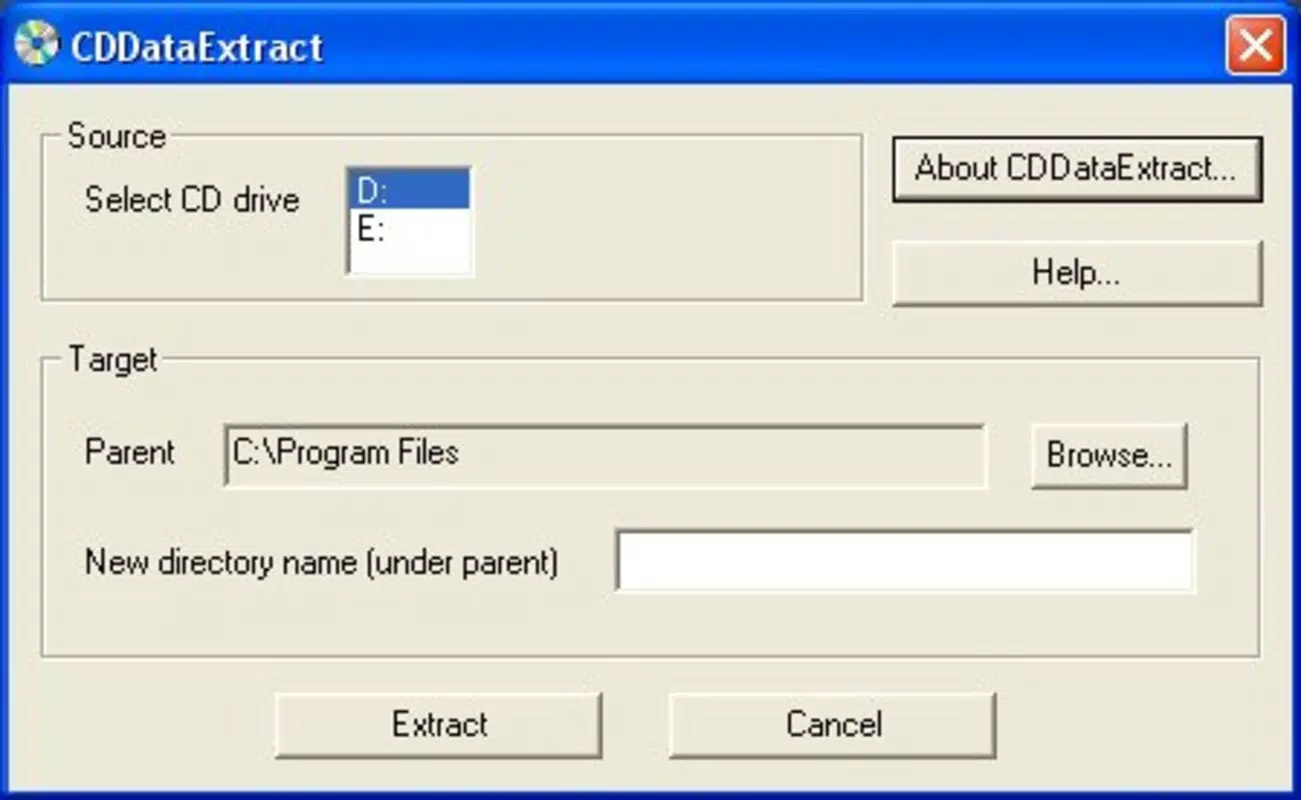
- CD Reader Utility Interface – Provides a simple, intuitive interface to manage the scanning and extraction process, minimizing user complexity.
- Support for Multiple File Types – Capable of identifying and extracting common file formats including audio (MP3, WAV), documents (PDF, TXT), and images (JPG, PNG).
- Local Processing – All data extraction and recovery operations occur on the device, ensuring privacy and reducing dependency on cloud services.
For example, a user with a collection of educational CD-ROMs from the early 2000s can use CDDataExtract to access lesson materials without needing a desktop computer with a CD drive. Similarly, a musician could recover original audio recordings from a damaged CD and transfer them to a modern device for editing or sharing. The app’s focus on local, on-device processing ensures that sensitive or personal data remains secure during recovery.
Interface, UX & Performance
The app features a clean, minimal interface designed for straightforward operation. Navigation is linear and task-focused, guiding users through the steps of connecting a CD reader, initiating a scan, and selecting files for extraction. Visual feedback is consistent, with progress indicators and status messages to inform users during the data recovery process.
Despite the lack of detailed performance metrics, the app’s lightweight design—only 1.5 MB in size—suggests efficient resource usage. It is likely optimized for a range of Android devices, including mid-tier and entry-level smartphones. The app maintains responsiveness during file scanning and extraction, with no reported issues in stability or crashes.
Although the developer did not list formal performance metrics, the app’s small footprint and focus on core functionality indicate a stable, reliable experience. Users can expect smooth operation across different screen sizes and device configurations. The absence of advertisements or background processes further supports a consistent user experience.
Platform Compatibility & Technical Requirements
CDDataExtract is available exclusively on the Android platform. The app is designed to run on Android devices that support external CD readers through USB OTG (On-The-Go) connectivity. Specific OS version requirements were not listed, but the app’s lightweight nature suggests compatibility with Android 5.0 and above.
The file size of 1.5 MB indicates minimal storage impact, making it suitable for devices with limited space. Users should ensure their device supports USB OTG and has a compatible CD reader connected via a USB port. The developer did not specify minimum OS requirements or hardware compatibility beyond the Android platform.
Pros and Cons
Pros
- Lightweight at just 1.5 MB, minimizing storage impact.
- Free to download and use, with no in-app purchases.
- Designed for on-device processing, enhancing data privacy.
- Supports recovery of damaged or scratched CD content.
- Intuitive interface suitable for non-technical users.
Cons
- Requires external CD reader hardware via USB OTG.
- Compatibility with specific CD readers is not confirmed.
- Developer did not provide detailed technical specifications.
- Only available on Android, limiting cross-platform access.
- No official updates or changelog available at this time.
FAQ
Is CDDataExtract safe to use?
Yes, the app operates locally on the device and does not require internet access or data transmission. All processing occurs on the user’s device, ensuring data privacy.
Can I use CDDataExtract without a CD drive?
Yes, but you will need a compatible external CD reader connected via USB OTG. The app itself does not include a built-in CD drive.
Does CDDataExtract support iOS devices?
No, the app is currently only available for Android devices. There is no iOS version available at this time.
What file types can be recovered?
CDDataExtract supports common file types such as MP3, WAV, PDF, TXT, JPG, and PNG. The exact list may vary based on the CD’s content structure.
How often is CDDataExtract updated?
The developer has not published an update schedule or changelog. The current version is 1.0, released on May 25, 2024.
Final Thoughts
CDDataExtract stands out as a focused, privacy-first tool for users seeking to recover data from physical CDs using modern Android devices. Its lightweight design, free access, and emphasis on local processing make it a practical choice for archivists, educators, and hobbyists managing legacy media. While its functionality is limited to Android and requires external hardware, it effectively addresses a specific but meaningful need in the digital preservation space.
For anyone with old CDs containing valuable data—be it music, documents, or educational content—CDDataExtract offers a secure, straightforward method to digitize and preserve that information. Its simplicity and lack of intrusive features enhance usability, especially for users unfamiliar with technical tools.
Download CDDataExtract now


